
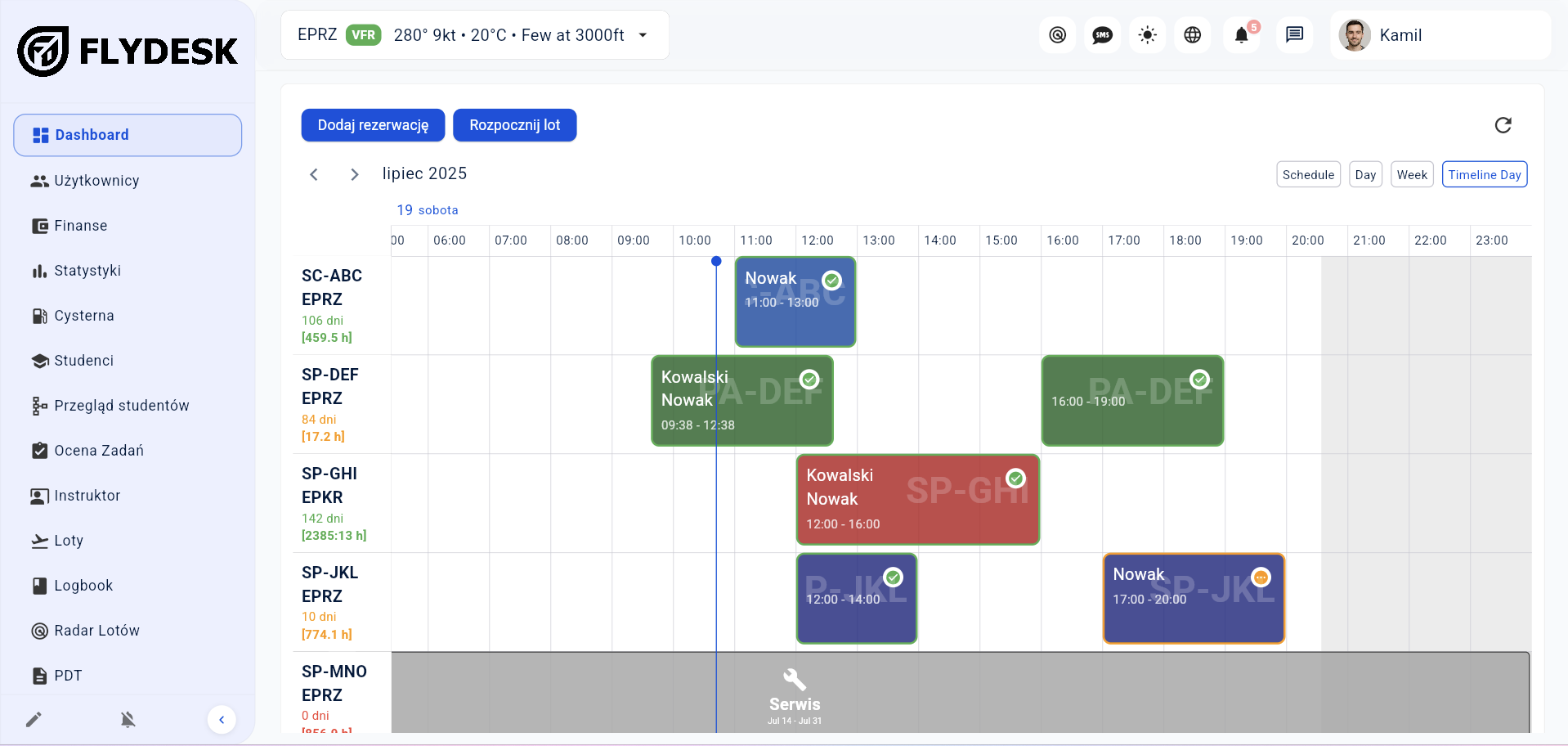
Aircraft calendar
Bookings, maintenance and unavailable periods appear in one schedule.
Flydesk organizes aeroclub bookings, flights, aircraft hours and settlements. The training module can also support an ATO or DTO operated by the aeroclub.
In short: Members and authorized pilots can see aircraft availability and book online. Administration controls the schedule, aircraft hours, users and settlements, while ATO or DTO training can run in the same system.
Authorized users can check fleet availability and book aircraft online.
See flights, maintenance, downtime and aircraft utilization in one calendar.
Actual flight times support user, instructor and cost settlements.
Decide who can see the schedule, create bookings and manage the fleet.
The user chooses an available date and adds the required flight information.
Actual times, fuel and route are entered after landing.
Aircraft hours, statistics and settlement data are immediately available.
Bookings, maintenance and unavailable periods appear in one schedule.
Members, pilots, instructors and administration receive appropriate access.
Review flight counts, aircraft hours and user activity.
If the aeroclub provides training, student progress and syllabi work alongside bookings and fleet.
The final setup depends on your organization, fleet and operating model. We cover the details during a tailored demo.
Yes. It can be configured for bookings, fleet, users, flights and settlements in an aeroclub.
The training module can run in the same Flydesk environment and is configured for the aeroclub’s ATO or DTO status.
Yes. Administration controls who can see availability and create bookings for selected aircraft.
Book a short presentation tailored to your fleet, training programs and daily workflow.