Bookings
See aircraft, instructors, students and maintenance in one calendar.
Run your flight school with Flydesk aviation training software. Connect online bookings, student progress, fleet records and settlements. Book an ATO or DTO demo.
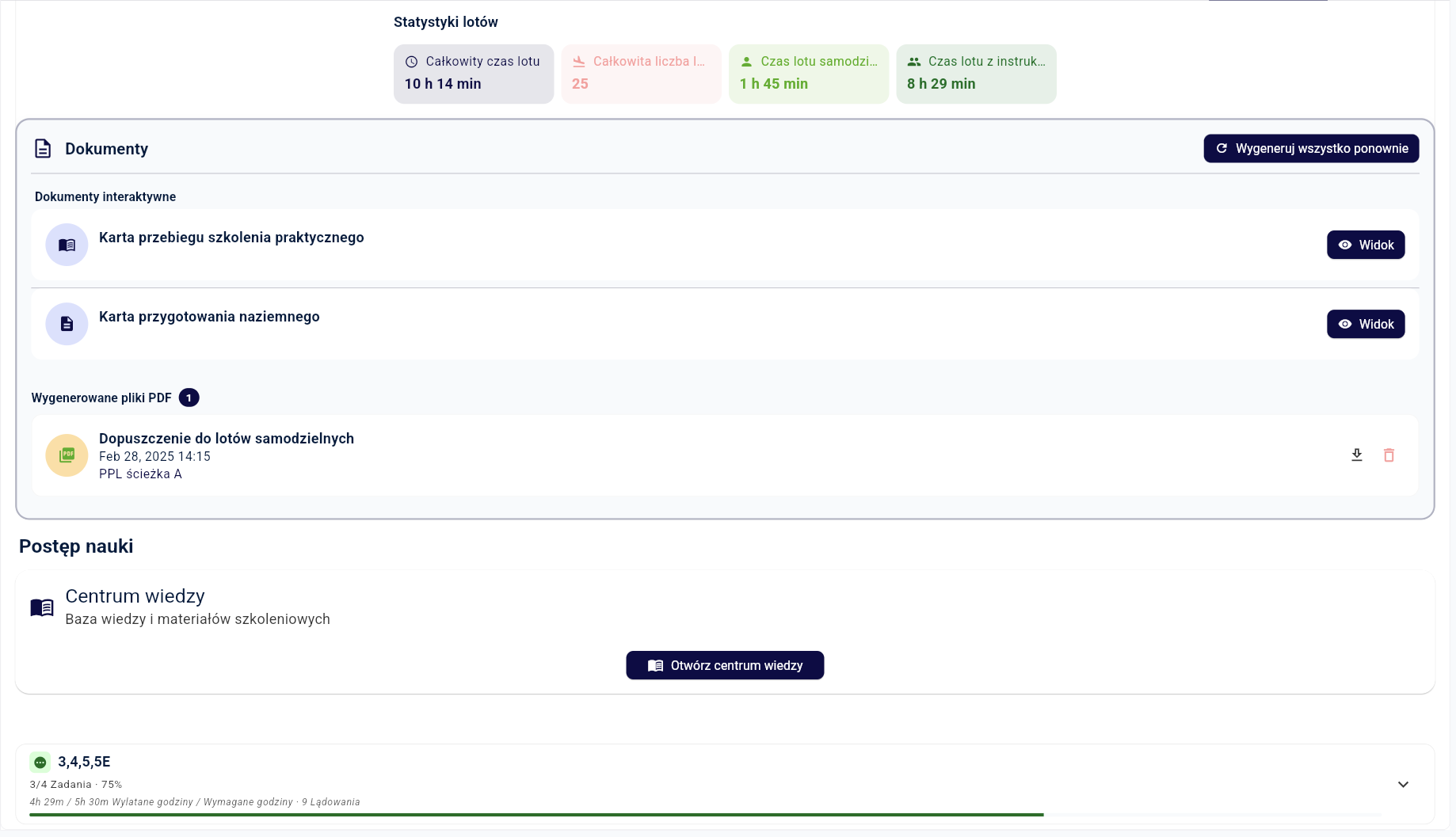
In short: Flydesk is an aviation training management system for flight schools operating as ATOs or DTOs. It brings aircraft bookings, student progress, instructors, fleet records, documentation and settlements into one connected workflow, configured for your organization’s fleet and training programs.
Modules, roles and implementation are matched to the organization’s status and training programs.
Bookings, student progress, fleet, documentation and settlements stay together.
Add students, instructors, aircraft and programs without building more spreadsheets.
Confirm its ATO or DTO status and current way of planning and documenting flights.
Choose the capabilities the team needs without adding unnecessary complexity.
Prepare access for administration, instructors, students and other users.
Run bookings, training, documentation and settlements in one place.
See aircraft, instructors, students and maintenance in one calendar.
Keep exercises, hours, grades and remaining syllabus current.
Completed flights update aircraft hours and provide data for the automated Aircraft Technical Log.
Use actual flight data to settle students, instructors and costs.
Running a flight school means coordinating training and the resources that make it possible. A lesson affects the student’s record, instructor workload, aircraft hours, technical documentation and settlement. Flydesk connects these areas around the same booking and completed flight.
Administration can plan aircraft and instructor availability, instructors can record exercises and grades, and management can review progress and fleet utilization. Roles determine each user’s access. Modules are selected for your organization’s fleet, training programs and ATO or DTO operating model.
Explore flight training management softwareStart with the processes your team repeats every day. If your main challenge is coordinating aircraft and instructors, review the booking workflow first. If student records are spread across files, focus on exercises, progress and document templates. An integrated platform is useful when the same flight information must serve both tasks.
A tailored Flydesk presentation lets you follow a lesson from reservation through completion to training records and settlements. We discuss your fleet, users, required modules and document workflow before preparing an individual offer. This makes it easier to assess the system against your actual operation.
Discuss your flight school and book a demoThe final setup depends on your organization, fleet and operating model. We cover the details during a tailored demo.
Yes. We tailor the modules, roles and training workflow to your organization’s ATO or DTO status, fleet and programs.
Yes. These areas share flight data, so a completed flight can update student progress, aircraft hours, documentation and settlements.
No. Modules, roles and configuration are tailored to the organization’s size, fleet, programs and workflow.
Flydesk connects the operational areas of an ATO or DTO: aircraft and instructor bookings, student syllabi and progress, aircraft records, automated Aircraft Technical Log entries and settlements. The required modules are selected for your organization.
We discuss your daily workflow and select the appropriate modules during implementation planning. The setup and individual offer depend on your fleet, users and requirements.
Describe your fleet, instructors, students, training programs and current booking and document workflow. Bring examples of where your team repeats data entry so we can show the relevant connected processes.
Book a short presentation tailored to your fleet, training programs and daily workflow.