
Booking context
Reuse aircraft and crew information from planning.
The Flydesk mobile app provides a map, flight time and essential information. Saved data is immediately visible in real time in the Flydesk dashboard.
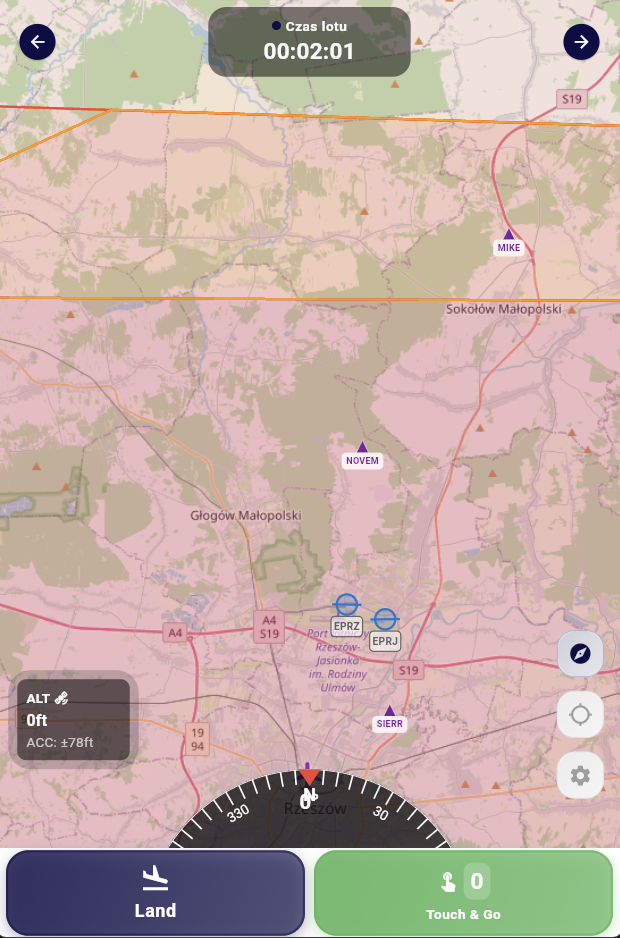
In short: The Flydesk mobile app is part of the same system. The booking, aircraft, student and instructor are already assigned, and information saved during the flight is immediately visible to authorized users in the Flydesk dashboard.
Key information and actions are designed for a phone or tablet.
The operation can be linked to a student, instructor, aircraft and booking.
Data stays connected to the Flydesk organization management platform.
Use information from the existing booking.
Begin the operation in the mobile interface.
Access the map and current operation information.
Return flight information to the shared Flydesk workflow.
Reuse aircraft and crew information from planning.
A clear interface for smaller screens.
Keep timing and flight data together.
Information remains available to authorized staff.
The final setup depends on your organization, fleet and operating model. We cover the details during a tailored demo.
Yes. It is the mobile part of the Flydesk ecosystem.
Yes. An operation can be associated with the student, instructor and aircraft.
Yes. Saved information is immediately visible in real time to authorized users in the organization dashboard.
Book a short presentation tailored to your fleet, training programs and daily workflow.