Syllabi
Structure training into clear stages and exercises.
Track student progress, syllabi, exercises and flight hours with Flydesk flight training management software for ATOs and DTOs. Book a tailored demo.
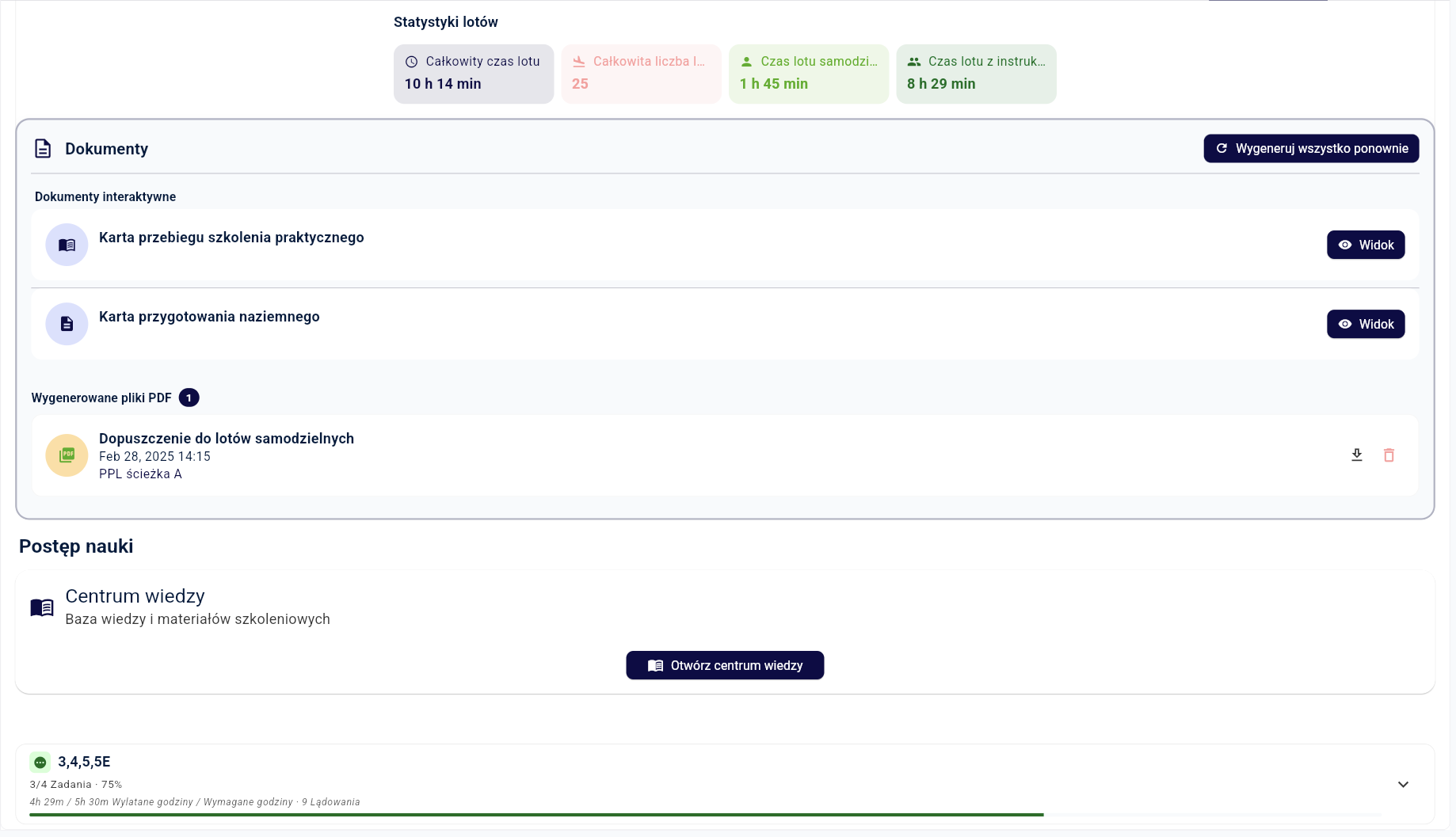
In short: Flydesk flight training management software connects student syllabi, completed exercises, grades, instructor notes and actual flight hours. Your instructors and training managers share current progress records, while training documents can be generated using your organization’s own templates.
Completed exercises and hours remain visible in the syllabus context.
Authorized instructors share one current student record.
Generate training progress cards and other documents using your organization’s templates.
Connect the student with the correct training path.
Book the student, instructor and aircraft.
Record results and instructor notes.
See completed and remaining items.
Structure training into clear stages and exercises.
Connect flight time to actual operations.
Give instructors useful continuity.
Automatically generate training progress cards, certificates for the Polish Civil Aviation Authority and other records.
Flight hours alone do not show how far a student has progressed through a syllabus. Training managers also need completed exercises, grades, instructor notes and the remaining training stages. Flydesk keeps these details together so the next instructor can review the student’s current record before planning another lesson.
The training workflow connects the planned exercise with the student, instructor and aircraft. After the flight, recorded results and actual hours support progress tracking and training documentation. Authorized instructors and management review the same information instead of reconciling separate spreadsheets.
Connect training lessons with aircraft bookingsA booking calendar answers when a lesson will take place. Aviation training management also answers what the student has completed and what remains to be taught. If you are moving from spreadsheets, start by reviewing how your team records exercises, instructor handovers and student hours.
During a Flydesk demo, we can walk through your training workflow: assigning a syllabus, booking a lesson, recording the result and reviewing progress. We also discuss the required roles and document templates, with the setup tailored to your ATO or DTO.
Book a flight training software demoThe final setup depends on your organization, fleet and operating model. We cover the details during a tailored demo.
Yes. Authorized users can review exercises, hours and the current training stage.
Yes. Roles and permissions control what each user can see and do.
No. Flydesk can complete training progress cards and other documents using your organization’s own templates.
A planned lesson links the student, instructor and aircraft. After the flight, actual hours and exercise results support the student’s progress record and training documents in the same system.
Aircraft booking organizes time and resources. Aviation training management also tracks the syllabus, exercises, grades and student progress. Flydesk connects the training module with bookings and completed flights.
Book a tailored demo and describe your programs, users and document templates. We can show how a lesson moves from planning to recorded results and progress review, then discuss the modules your organization needs.
Book a short presentation tailored to your fleet, training programs and daily workflow.