
Fleet view
Each aircraft has its own schedule row.
Book aircraft, instructors and students online with Flydesk. One aircraft booking system for flight schools and aeroclubs, linked to flight records. Book a demo.
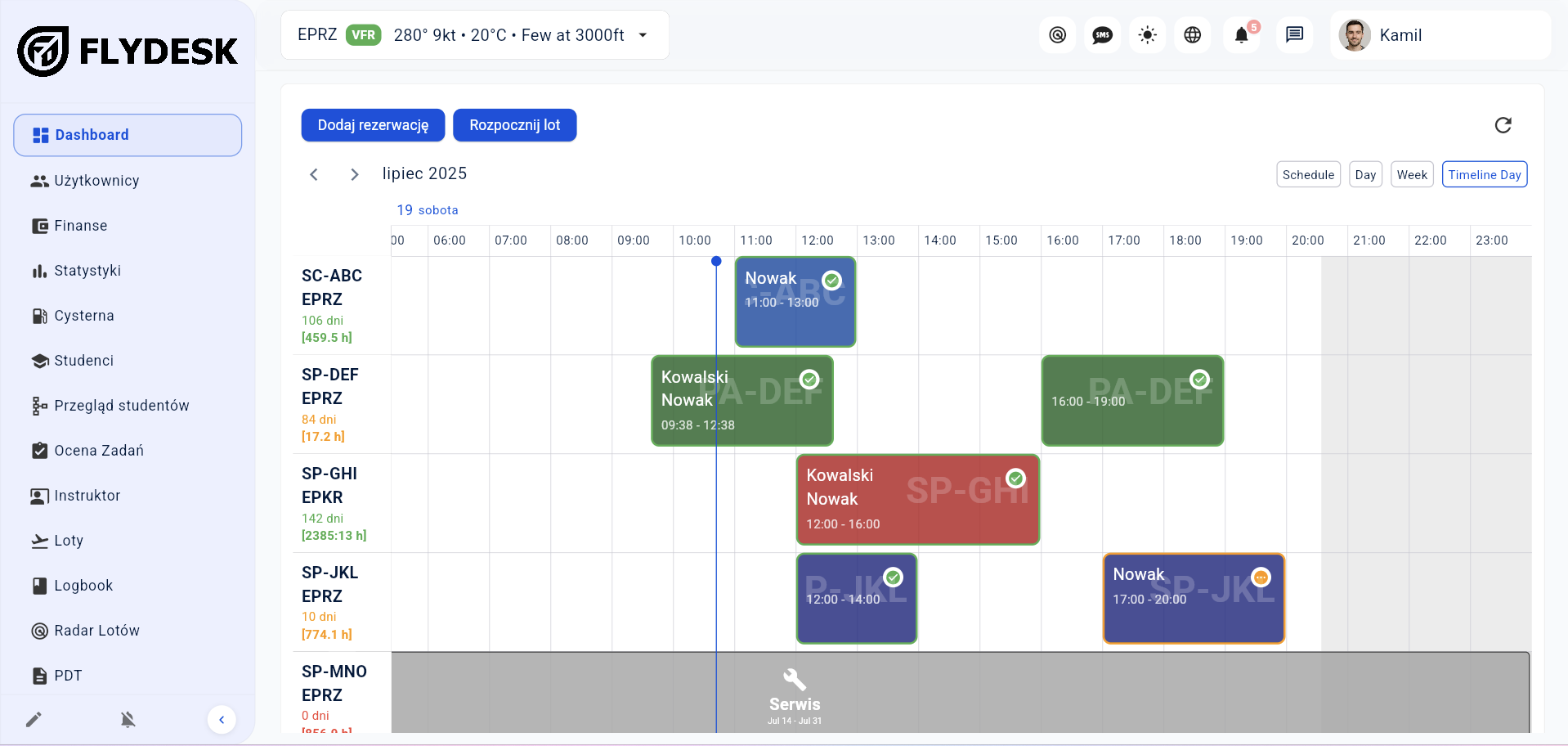
In short: Flydesk is an online aircraft booking system for flight schools, aeroclubs and private aircraft owners. Authorized users see aircraft and instructor availability, select a time and create a booking. Administration reviews the shared schedule, maintenance blocks and completed flights in one place.
Authorized users can check dates without contacting administration.
Aircraft, people, location and time are part of one booking.
The booking can feed training, the Aircraft Technical Log and settlements.
Check availability on the timeline.
Add the aircraft and relevant users.
Enter actual operation data.
Flydesk updates connected modules.
Each aircraft has its own schedule row.
Control who can view, create and edit bookings.
Block unavailable periods in the same calendar.
Replace planned values with the completed operation.
A training booking needs more than an empty slot in an aircraft calendar. A student, instructor and aircraft must be available for the same period. Flydesk brings these resources into one booking so your office and instructors can work from the same schedule.
Your organization decides who can see availability and create or edit reservations. Students and selected pilots can book online with the permissions you give them, while administration keeps an overview of the fleet. This also works for aeroclubs and owners sharing aircraft with approved users.
See the complete flight school management systemAircraft scheduling shows how the fleet will be used. Flight records show what actually happened. Keeping both in the same system helps your team distinguish reserved time from actual flight time and use consistent data for aircraft hours and settlements.
For example, an instructor books a lesson with a student and an aircraft. After landing, the actual block times, fuel and destination are recorded against the operation. Those details can then feed training records, the Aircraft Technical Log and flight-related charges without starting a separate record in every module.
Explore aircraft scheduling and fleet managementThe final setup depends on your organization, fleet and operating model. We cover the details during a tailored demo.
The organization decides whether staff, instructors, students or selected pilots can create bookings.
Yes. Service and other unavailable periods can block the schedule.
Yes. Actual operation data can be reused in settlements.
Yes. ATOs and DTOs can coordinate aircraft, instructors and students in one schedule. Your organization controls who can view availability and create or edit bookings.
Booking reserves an aircraft for a specific time and user. Aircraft scheduling gives your team a view of the fleet’s planned use, including reservations and unavailable periods. Flydesk connects both in the same calendar.
Yes. Aeroclubs and private owners can give selected users access to availability and reservations. Access depends on the permissions assigned by the organization or owner.
Book a short presentation tailored to your fleet, training programs and daily workflow.